Overview
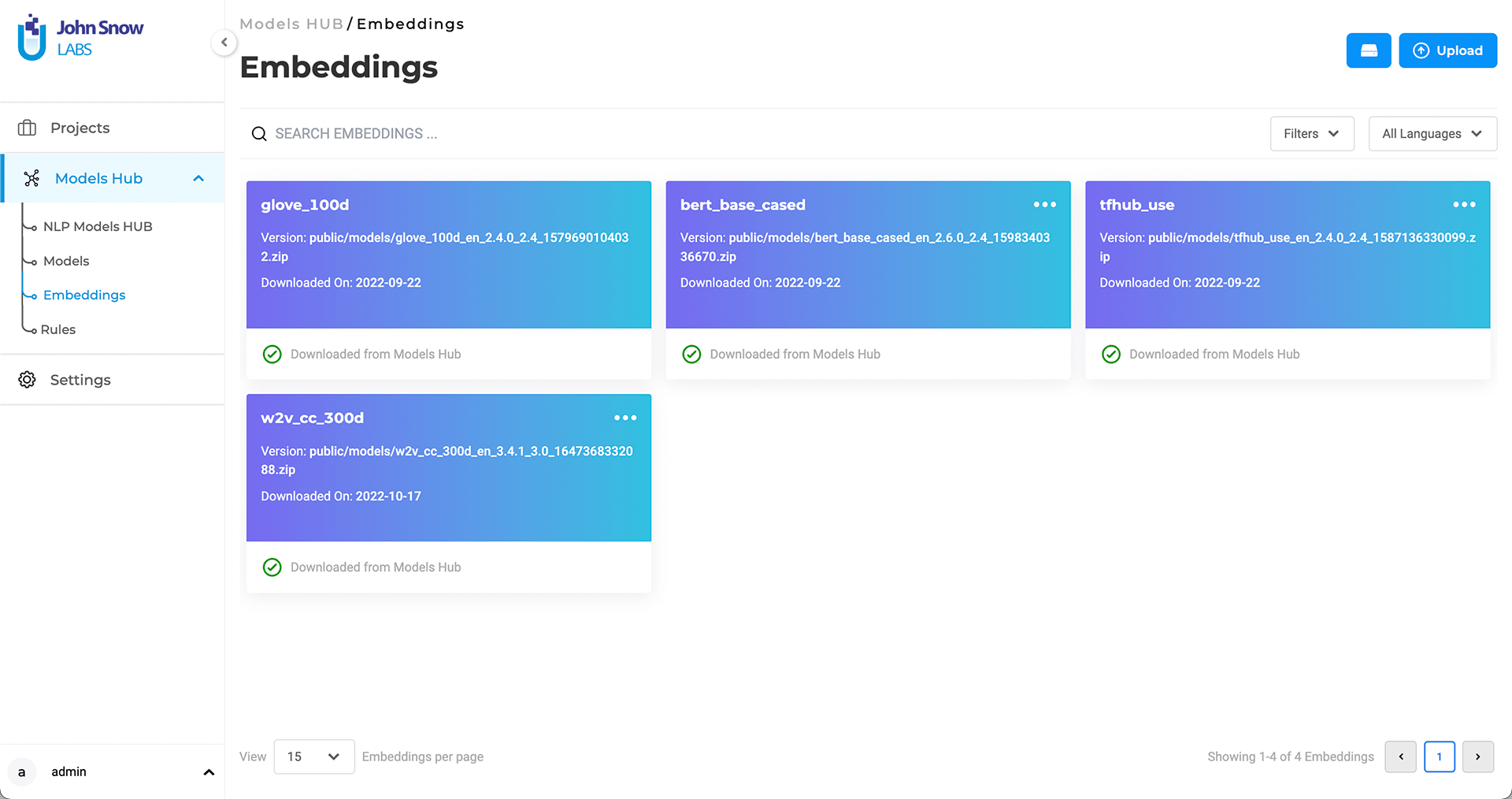
The Embeddings page lists all available vector embeddings that can be used in Generative AI Lab for model training, pre-annotation, or feature extraction.
Embeddings define how text or tokens are represented numerically before model processing and are critical to NLP performance.
Generative AI Lab integrates with the John Snow Labs NLP Models Hub, allowing users to download or upload embeddings directly from within the application.
All compatible embeddings can also be added manually through the Upload option.
Default and Downloadable Embeddings
Every new installation of Generative AI Lab includes several default embeddings such as:
glove_100dbert_base_casedtfhub_use
Additional embeddings can be downloaded from the Models Hub tab, which supports resources from multiple NLP editions:
- Open Source NLP
- Healthcare NLP
- Finance NLP
- Legal NLP
- Visual NLP
Each embedding entry displays its name, edition, version, source, and upload or download date.
Search and Filter
The Embeddings page includes search and filtering tools for easy navigation.
Users can filter by name, edition, or embedding type (word, sentence, document).
This helps quickly locate embeddings for specific domains such as medical, financial, or visual data processing.
Storage and Version Information
The page provides disk usage indicators for locally installed embeddings, showing total and available space.
Administrators can check storage usage and version details before downloading new resources.
Each embedding includes version metadata that ensures compatibility with the currently installed NLP libraries.
Custom Embeddings Upload
Custom embeddings can be uploaded using the Upload button in the top-right corner of the page.
Uploaded embeddings must follow the Spark NLP format. The system validates each upload and rejects incompatible formats with a descriptive error message.
After upload, validated embeddings appear in the list and can be reused across projects.
All embedding uploads and updates are recorded in the Audit Trail.
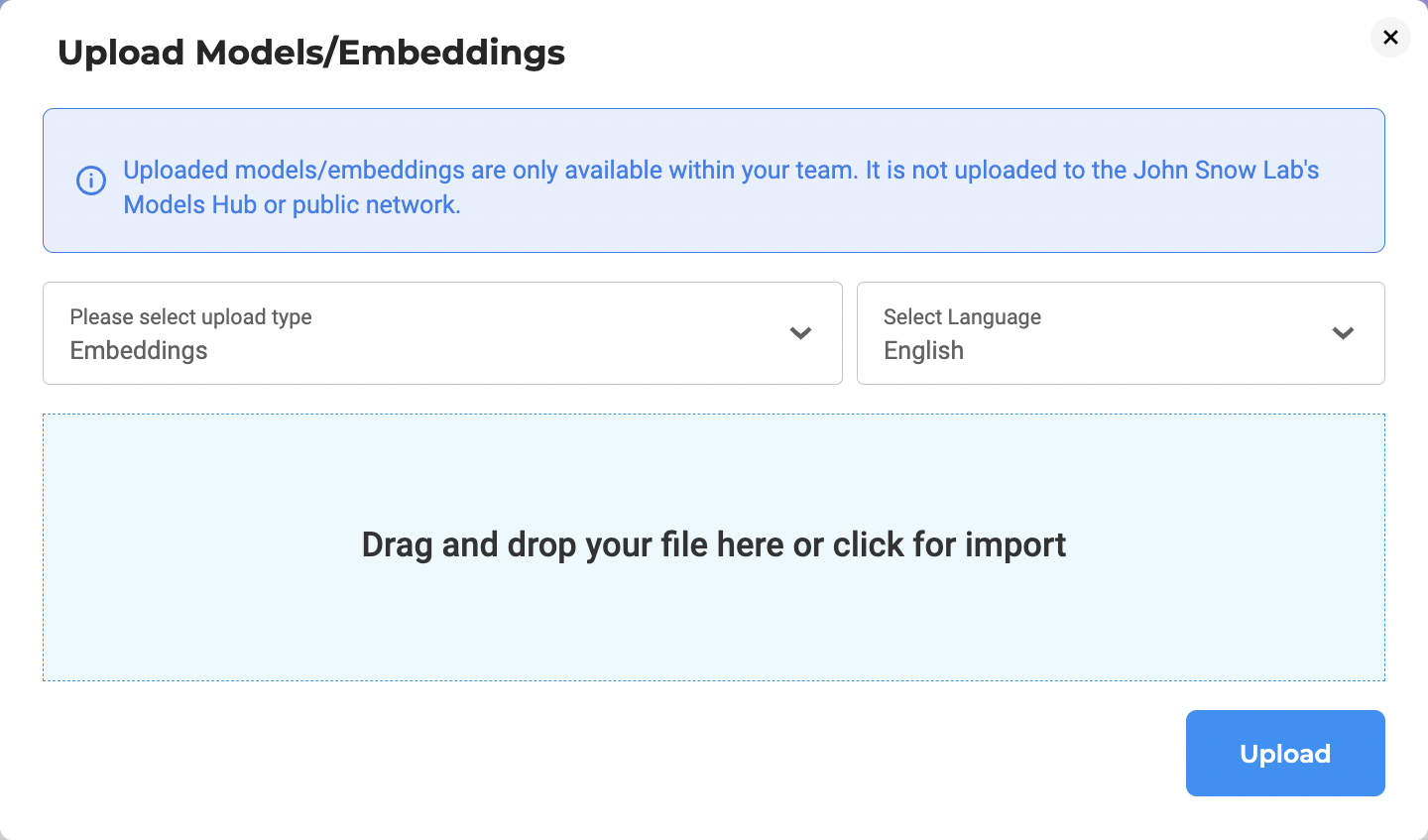
Note: The embeddings to upload need to be Spark NLP compatible.
Compatibility Validation
Each embedding is validated against the installed Spark NLP, Healthcare NLP, or Visual NLP library versions.
If an imported or trained model references an embedding that is missing or incompatible, the system notifies the user and offers to download the correct version automatically.
This dependency check prevents loading errors and ensures reproducibility.
Updates and Notifications
Generative AI Lab checks for new or updated embeddings when the application starts or when users click Check for Updates.
If updates are available, the system displays an alert showing the new version, size, and edition.
Updates require user confirmation and are logged after completion.
Best Practices
- Keep embeddings up to date: Use the latest versions compatible with your installed NLP libraries.
- Check storage usage: Ensure sufficient space before downloading large embeddings.
- Use matching versions: Always train and deploy models with the same embedding versions for consistent results.
- Validate uploads: Confirm that custom embeddings follow the Spark NLP format.
- Use domain-specific resources: Choose embeddings optimized for your target domain to improve accuracy.
Summary
The Embeddings page provides centralized management for all vector resources in Generative AI Lab, including:
- Easy access to pre-trained embeddings
- Version and compatibility validation
- Integration with the NLP Models Hub
- Logging of all embedding-related actions for compliance and audit