Literature QA
Steps 4 and 5 are optional, but they’re worth knowing about. After extraction, you can hand-pick a set of articles and ask the agent questions about them — in plain language, no query syntax required. Answers are grounded exclusively in the articles you selected, so you’re not getting hallucinated generalities; you’re getting answers from your actual evidence set.
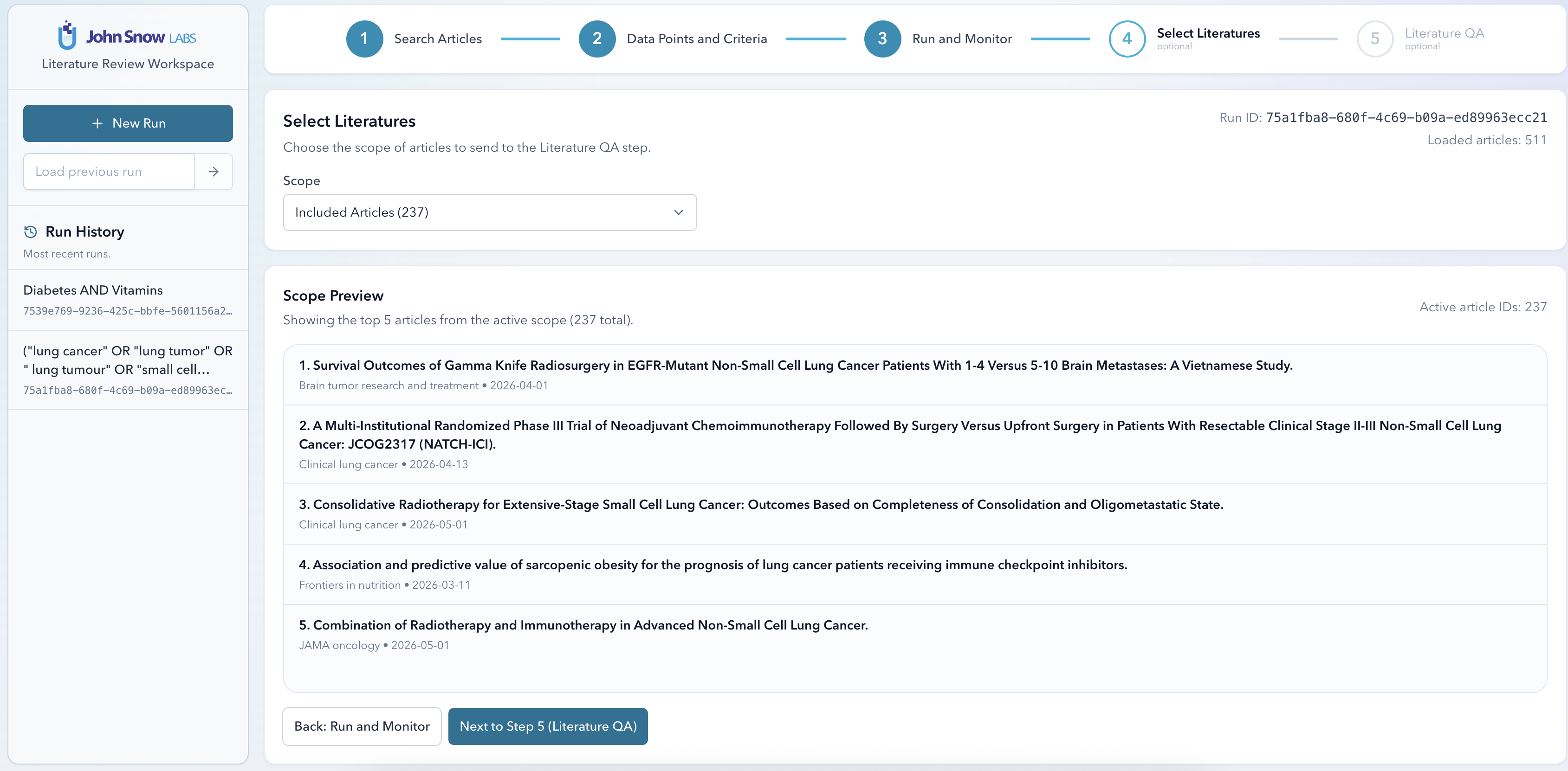
Step 4 — Select Literatures
After a run completes, the Select Literatures view shows you all the extracted articles. Pick the ones most relevant to your questions — usually the included articles, or a narrower subset — to form the literature set that Q&A will draw from. The more focused your selection, the more precise the answers tend to be.
Step 5 — Literature QA
Open the Literature QA tab and type your question. The LLM answers using only the content of your selected articles — nothing else. Each answer includes citations back to the specific papers it drew from, so you can verify any claim in seconds.
Some questions that work well:
- “What was the most common primary endpoint across the included trials?”
- “Which studies reported a statistically significant reduction in hospitalisation?”
- “Summarise the safety findings across all included papers.”
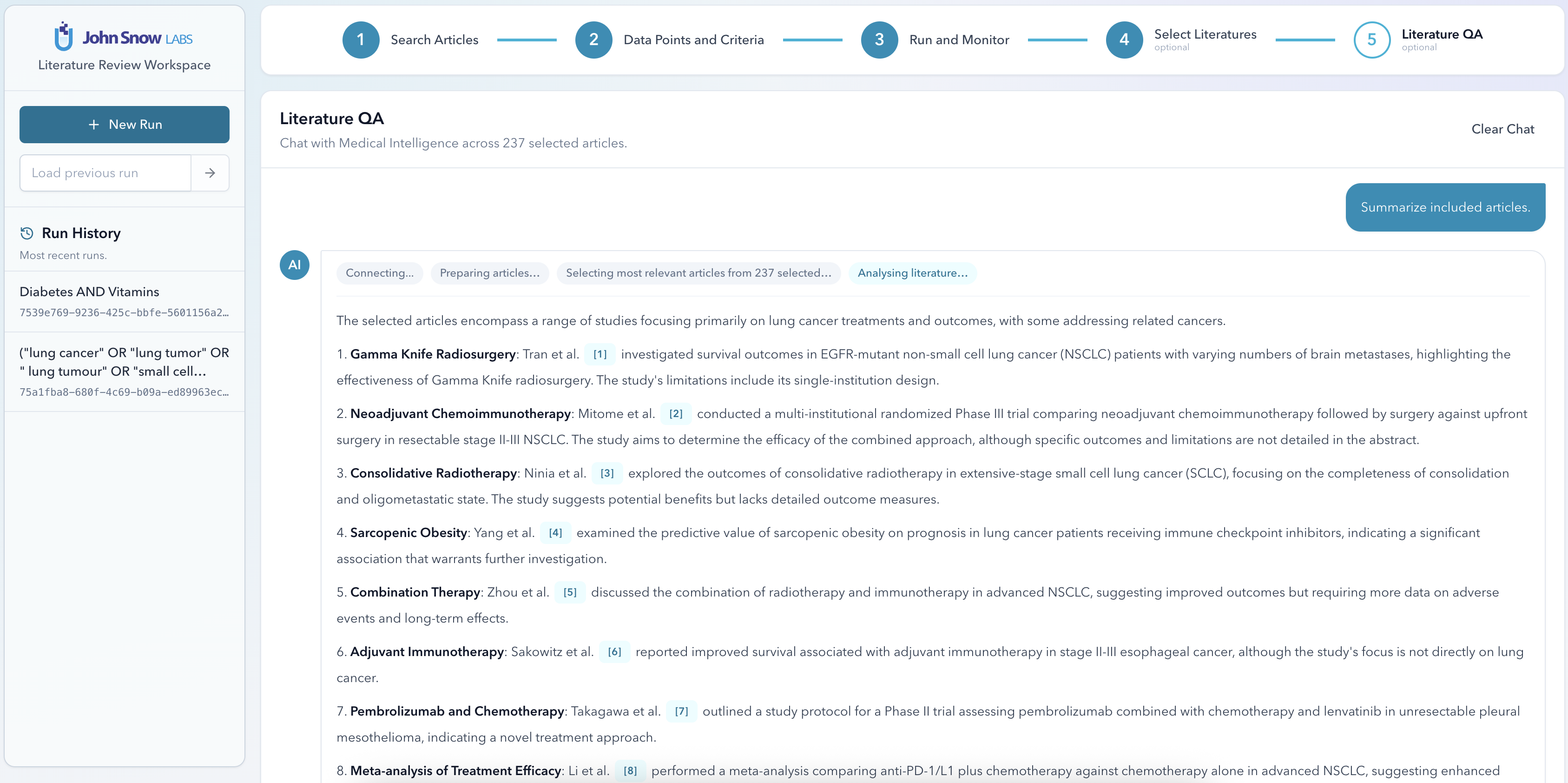
Answers stream back in real time. There’s no waiting for the full response — you’ll see it appear word by word as the model generates it.
API
Literature QA is fully accessible via the API if you want to integrate it into a downstream pipeline:
POST /literature-review/lit-qa/stream
Send the article IDs and the question in the request body. The response is a streaming SSE endpoint — your client receives the answer incrementally as it’s generated, with citations included.