Data Points & Criteria
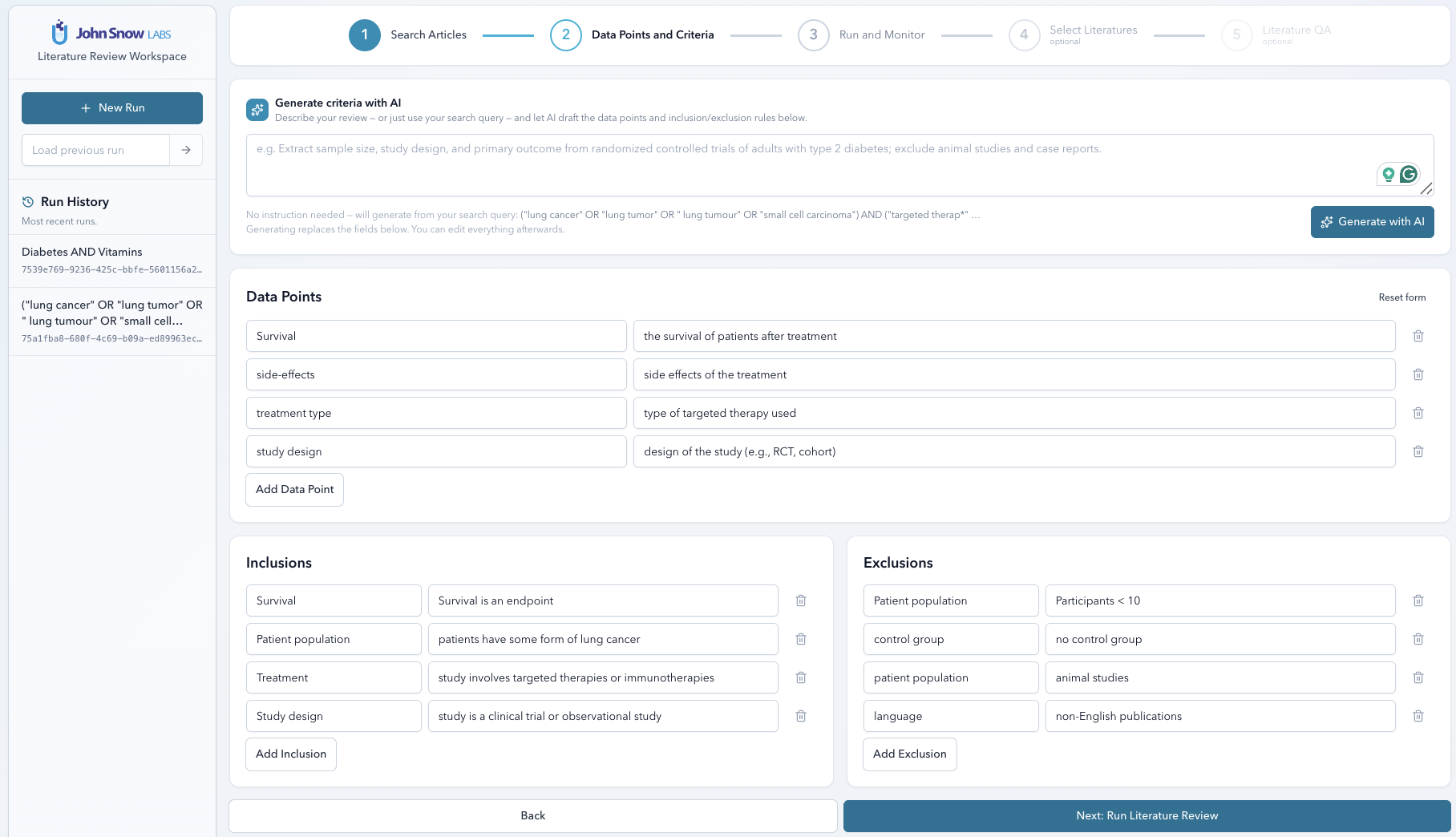
Before any extraction happens, you tell the agent two things: what to pull out of each article, and which articles belong in the review at all. Both are defined in plain language — no schemas, no rigid templates. The definitions travel with the project, so delta runs and cloned projects inherit them automatically.
Data Points
A data point is one piece of structured information to pull from each paper. You give it a short label (like sample_size or primary_outcome) and a plain-language prompt that describes what you want (like “The number of participants enrolled in the study”).
| Field | Description |
|---|---|
| Label | Short name for the column (e.g. sample_size, primary_outcome) |
| Prompt | Plain-language description of what to extract (e.g. “The number of participants enrolled in the study”) |
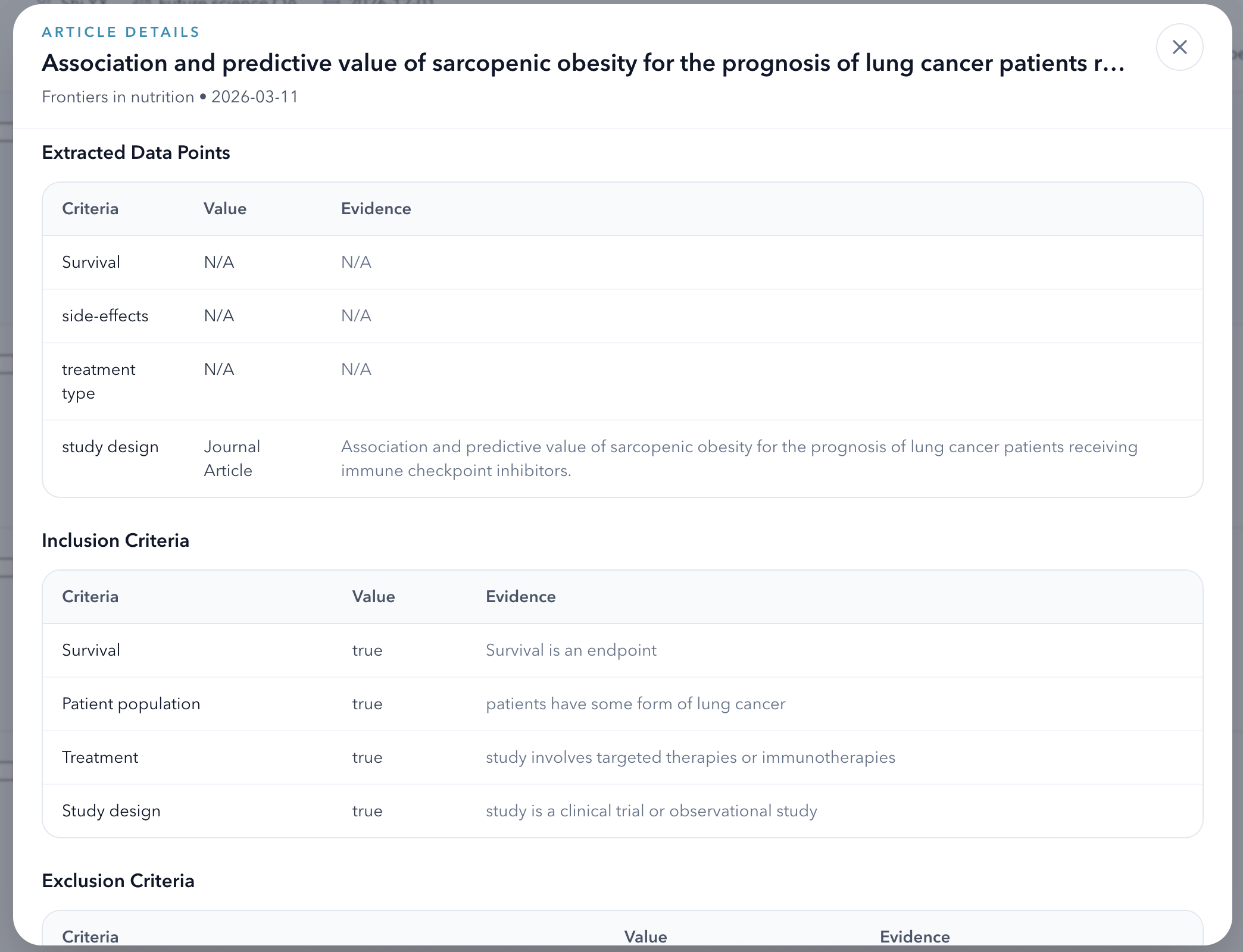
For each article, the LLM reads the full text or abstract and extracts a value that matches your prompt. It also returns the exact sentence from the source that the value was drawn from — so you can verify any extraction in seconds.
Inclusion & Exclusion Criteria
Criteria work the same way as data points — a label and a plain sentence. The difference is that instead of extracting a value, the LLM evaluates whether the article satisfies the rule.
| Field | Description |
|---|---|
| Label | Short name for the rule (e.g. rct_only, no_animal_studies) |
| Rule | Plain-language description (e.g. “The study must be a randomised controlled trial”) |
Every article gets a per-rule verdict plus an overall inclusion/exclusion decision. That overall verdict is what flags articles in the results table, but the per-rule breakdown is there if you want to dig into why a specific paper was excluded.
AI-Assisted Criteria Generation
If you’re not sure what data points to define — or you just want a starting point — use Generate with AI. Describe your review in one sentence (or reuse your search query), and the agent will draft a set of data points and inclusion/exclusion rules for you to review.
- Enter a short description, e.g. “SGLT2 inhibitors for heart failure, randomised trials 2020–2024”.
- The LLM returns a suggested list of data points and criteria.
- Edit, remove, or add to the suggestions as needed, then proceed to extraction.
Extraction Results
Once a run finishes, every article in the result set has a full dossier attached to it:
- Extracted values for every data point you defined, each paired with the supporting sentence from the source.
- Per-rule verdicts for every inclusion/exclusion rule, with a brief explanation.
- Overall inclusion verdict — included, excluded, or uncertain.
- Full metadata: title, authors, journal, year, DOI, impact factor, quartile, h-index, citation count, open-access status.
Click into any article row to read the full detail view. When you’re done reviewing, export everything to CSV straight from the run monitor.